- Free Shipping for orders over $249*

- +1 800-943-2341
- Aptika.ca

- Aptika.com


- Currency: CAD
- Français
 My Account



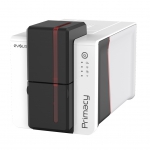
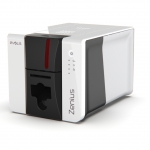
How to Calibrate your Evolis Primacy 2 and Zenius 2 Sensors
If your Evolis Primacy 2 or Evolis Zenius 2 is not properly recognizing cards, the printer sensors may need to be calibrated. Sensor misalignment can cause issues such as cards not feeding correctly, cards being rejected, ribbon errors, ribbon panels not aligning with the card, printing starting too high or too low on the card, or unexpected card jams.
In some cases, the ribbon may appear to advance incorrectly, the printer may report ribbon out or card out errors even when supplies are loaded properly, or prints may be vertically shifted. These symptoms often indicate that the internal sensors need recalibration.
Performing a full sensor calibration resets the card detection, ribbon detection, and positioning sensors, ensuring proper synchronization between card movement and ribbon panels.
Calibrating the Sensors
This procedure adjusts all sensors in the same process using the Sa command.
Step 1 - Prepare the Printer
- Ensure a color ribbon is installed in the printer.
- Remove all cards from the hopper / feeder.
Step 2 - Open the Support Tools
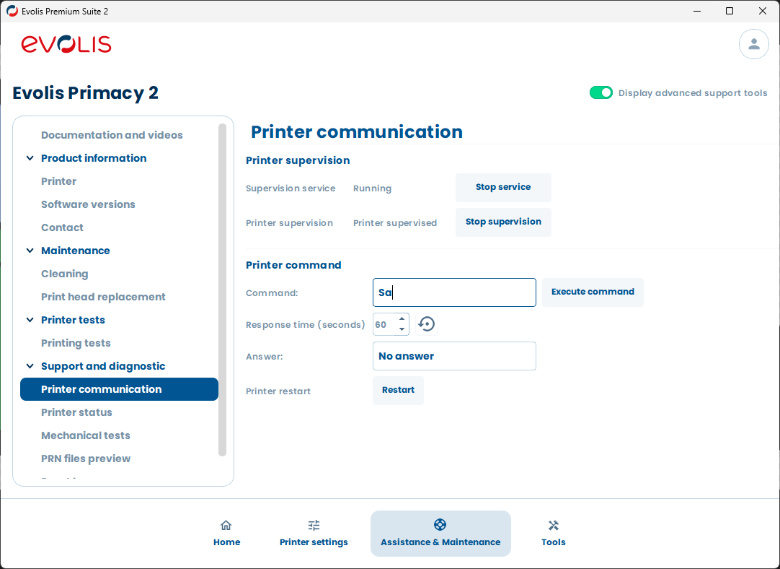
- Open Evolis Premium Suite 2.
- Click Assistance & Maintenance.
- Click Display advance support tools.
- Click Printer Communication.
Step 3 - Send the Sa Command
In the Command field, enter Sa (case-sensitive: capital S, lowercase a, no spaces), then click Execute command.
- The warning LED on the control panel will start flashing.
- Open the cover. The warning LED will stop. When it turns on again, close the cover.
- The card/ribbon LED will flash. Insert a card into the feeder.
- The card will be inserted and ejected automatically, and the sensors will be calibrated.
Done
The calibration process is complete. Your printer sensors should now be properly aligned and working correctly. If issues persist after calibration, consider performing a full cleaning cycle or contact our support team for assistance.
Tagged on: evolis, primacy 2, zenius 2, sensor, calibration