- Free Shipping for orders over $249*

- +1 800-943-2341
- Aptika.ca

- Aptika.com


- Currency: CAD
- Français
 My Account



Epson USB Wireless Adapter Dongle (2.4GHz/5.0GHz), OT-WL06
The Epson OT-WL06 Wi-Fi Dongle adds fast, secure wireless connectivity to Epson printers. Simply plug it into the USB port to print without cables. Compatible with ColorWorks CW-C4000, CW-C8000, TM-T20IV, and OmniLink TM-m30III / m30III-H / m50II / m50II-H, it offers flexibility and easy setup for POS and label printing.
Overview
The Epson OT-WL06 is a compact USB Wi-Fi adapter that adds reliable wireless networking to supported Epson printers. It helps reduce cable clutter, enables flexible placement, and makes it easy to connect printers to modern POS and labeling workflows.
Key benefits
- Easy setup – Plug into the printer's USB port and follow the on-device or utility prompts.
- Flexible placement – Position printers where they work best without running network cables.
- Secure connectivity – Supports modern Wi-Fi security for protected deployments.
- Small and durable – Low-profile design suited for counters, kiosks, and back rooms.
Compatible Epson printers
Designed for select Epson ColorWorks and OmniLink POS printers, including:
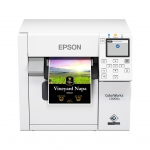
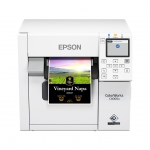
- ColorWorks CW-C4000 (Gloss and Matte)
- ColorWorks CW-C8000
- TM-T20IV Thermal Receipt Printer
- OmniLink TM-m30III / TM-m30III-H
- OmniLink TM-m50II / TM-m50II-H
Check your specific model's documentation to confirm OT-WL06 support.
Typical use cases
- Retail and hospitality POS where Ethernet is impractical.
- Mobile and pop-up stations that need cable-free setup.
- Label printing benches that require flexible printer placement.
Quick setup guide
- Power off the supported Epson printer.
- Insert the OT-WL06 into the printer's USB port.
- Power on the printer and run network setup from the panel or utility.
- Connect the host device to the same Wi-Fi network and add the printer.
What's in the box
- OT-WL06 Wi-Fi Dongle
- Documentation
Notes
- Wireless performance can vary by environment and network configuration.
- For best results, use current printer firmware and Epson utilities.
Recommended Products
QR code
Scan this QR code and see this product on your Smartphone with our Aptika Mobile App.
Ask our experts! (800) 943-2341


